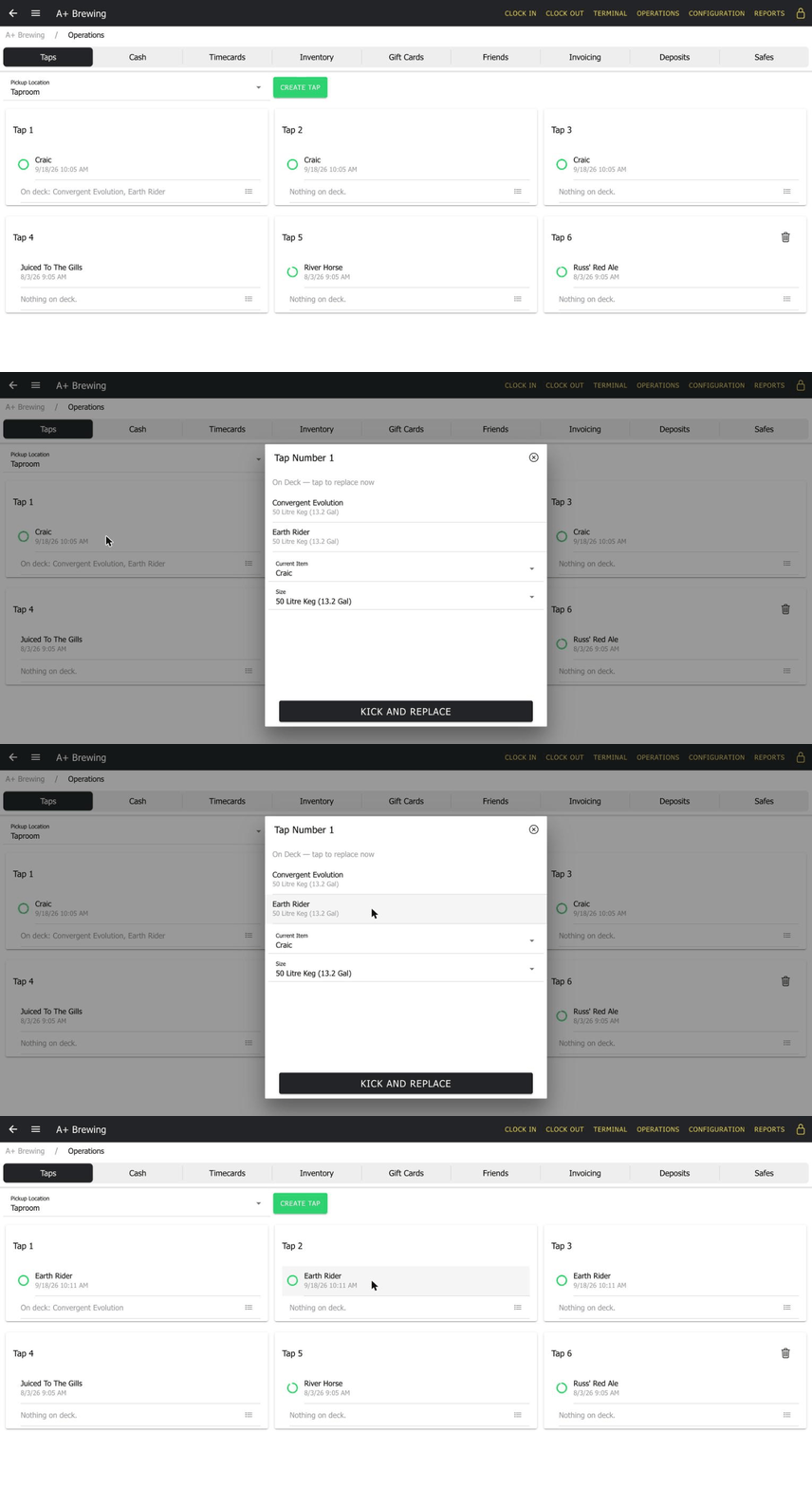
Every tap is assigned right in BrewBill — the item, the keg size, and a live fill-level indicator that shows up everywhere that item appears, including the tap number badge on the order screen. Staff never have to walk over and check.
Give every tap its own on-deck list — the beers lined up to pour next, in order. When a keg kicks, staff don't have to remember what's supposed to go on or hunt through the menu.
The on-deck queue follows the keg wherever staff are already working — the Taps screen, the keg status modal in Inventory, or the tap icon right on the order screen. Whoever notices the keg is empty can swap it on the spot, no extra trip required.
Interested in what BrewBill has to offer? Request a demo and a representative will contact you.